
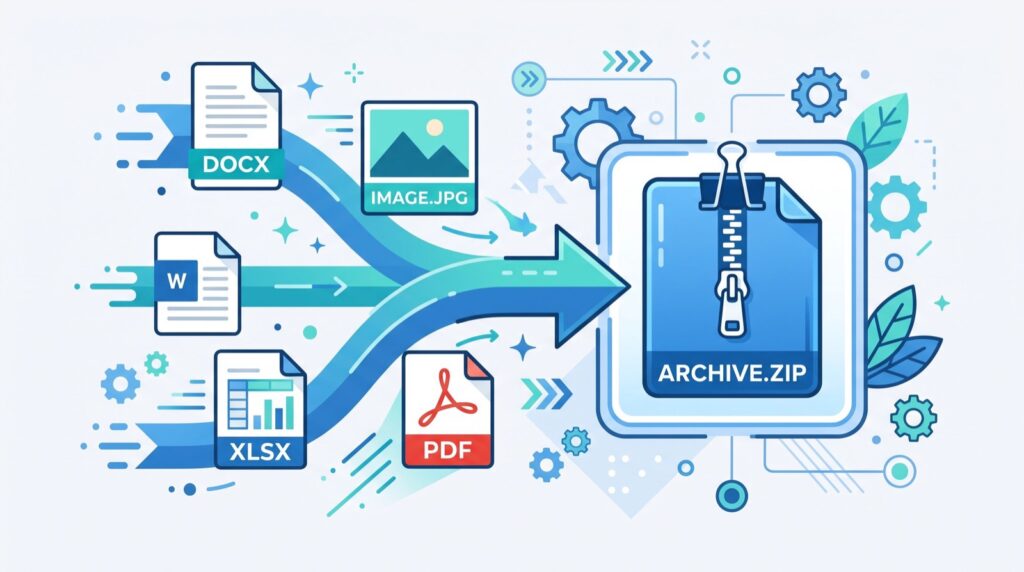
SVG to Base64: The 2026 Guide to Inline Vector Encoding
Converting SVG to Base64 is one of those small techniques that quietly speeds up websites and simplifies code. By encoding a vector graphic into a text string, you can embed it directly into HTML or CSS without a separate file request. This 2026 guide explains what Base64 encoding does to an SVG, when it helps, when it hurts, and how to do it cleanly in your browser.
Designers and developers reach for this trick to reduce HTTP requests, bundle icons, and ship self-contained components. Understanding the trade-offs helps you use it where it genuinely improves performance instead of bloating your files.
What Does SVG to Base64 Conversion Actually Do?
SVG is a text-based image format built from XML. Base64 is an encoding scheme that turns binary or text data into an ASCII string safe to embed almost anywhere. When you convert SVG to Base64, you translate that XML markup into a compact string you can drop into an img tag or a CSS background-image as a data URI.
The result looks like data:image/svg+xml;base64,PHN2Zy... followed by the encoded content. The browser decodes it on the fly and renders the graphic exactly as if it loaded from a file.
- Self-contained: the image travels inside your HTML or CSS.
- No extra request: the browser does not fetch a separate file.
- Portable: a single string carries the whole graphic.
A dependable SVG to Base64 converter handles the encoding in your browser, so you paste your markup and copy a ready-to-use data URI in seconds.
When Should You Encode an SVG?
Base64 encoding is a tool, not a default. It shines in specific situations and backfires in others. Here is how I decide.
Good Candidates
- Tiny icons: small graphics under a few kilobytes benefit most from skipping a request.
- Critical above-the-fold assets: inlining removes a round trip that could delay first paint.
- Email templates: some clients handle embedded data URIs more reliably than linked files.
- Single-file components: when you want a self-contained widget with no external dependencies.
Poor Candidates
Large or complex SVGs are usually better left as files. Base64 inflates size by roughly 33 percent, and big inline blobs bloat your HTML and hurt caching, since the browser cannot cache an inlined image separately from the page.
SVG to Base64 vs Other Embedding Methods
Encoding is one of several ways to place a vector on a page. The comparison below shows where each option fits.
| Method | Extra Request | Cacheable Separately | Best For |
|---|---|---|---|
| External SVG file | Yes | Yes | Large or reused graphics |
| Inline SVG markup | No | No | Icons needing CSS control |
| SVG to Base64 data URI | No | No | Small icons in CSS backgrounds |
| URL-encoded SVG | No | No | Small SVGs where readability helps |
How to Convert SVG to Base64 Step by Step
The process is quick once you know the flow. Follow these steps for a clean result every time.
- Optimize the SVG first. Remove editor metadata, comments, and unused attributes to shrink the source.
- Paste the markup into a converter. A browser tool encodes it instantly and safely.
- Copy the data URI. Grab the full
data:image/svg+xml;base64,string. - Embed it. Drop it into an
img srcattribute or a CSSbackground-imagevalue. - Test rendering. Check the graphic in multiple browsers to confirm it displays correctly.
One tip from experience: always minify the SVG before encoding. Because Base64 grows the payload, every byte you trim upstream saves more downstream. The MDN Web Docs guide to data URLs is an authoritative reference on the syntax and limits worth reviewing.
Performance Considerations in 2026
Core Web Vitals still shape how search engines and users judge a page. Inlining a small SVG can improve Largest Contentful Paint by removing a blocking request, but overusing Base64 balloons your HTML and slows parsing.
- Keep inlined assets small: a common rule of thumb is to inline only images under a few kilobytes.
- Mind caching: inlined images cannot be cached independently, so repeated assets are better as files.
- Consider URL encoding: for SVGs specifically, URL-encoding is often smaller than Base64 and stays human-readable.
When you are assembling a component library, working with an experienced local team ensures your encoding decisions align with real performance budgets rather than guesswork.
Beyond Images: Encoding Other Assets
The same Base64 principle applies to fonts, small PNGs, and even short audio clips. The trade-offs are identical: convenience and fewer requests versus larger, uncacheable payloads. If you already automate build tasks, pairing the encoder with a scheduler helps. You can even generate cron expression online to schedule asset regeneration jobs so your inlined resources stay in sync with source files.
Frequently Asked Questions
Does SVG to Base64 make files larger?
Yes. Base64 encoding increases the data size by roughly 33 percent compared to the raw SVG. That is why it is best reserved for small graphics where skipping a request outweighs the size penalty.
Is a Base64 SVG cached by the browser?
No, not independently. Because the image lives inside your HTML or CSS, it is cached only as part of that file. Frequently reused graphics are usually better served as external files so the browser can cache them once.
Can I style an SVG after encoding it to Base64?
Not directly with CSS the way you can with inline SVG markup. An encoded data URI behaves like a raster image, so you lose the ability to target its internal paths. Use inline SVG when you need CSS control.
Should I use Base64 or URL encoding for SVG?
For SVG specifically, URL encoding is often smaller than Base64 and keeps the markup readable. Base64 is more universal across asset types, so choose based on whether you value size or broad compatibility.
Conclusion
Converting SVG to Base64 is a precise optimization that rewards knowing when to use it. For small icons and critical above-the-fold graphics, inlining removes a request and produces tidy, self-contained code. For large or reused assets, external files win on caching and size. Optimize your source first, encode it in the browser, and test across environments. Applied thoughtfully in 2026, this simple technique keeps your pages fast and your components portable.